
Controls for The Girl in the Window
How to look, pick up, combine, and rotate the four walls.
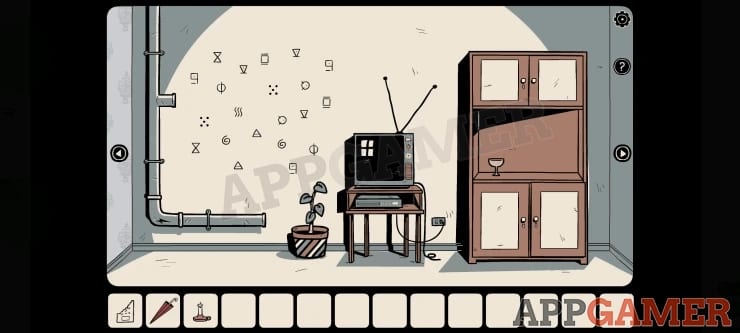
The Girl in the Window was built as a tap-first escape and later brought to Steam. The verbs never change: look, take, combine, use. What changes is the size of your cursor and whether a hotspot is kind to a mouse. This page is the input layer. Puzzle methods live in the walkthrough and codes hubs.
Touch (Android and iOS)
- Tap a hotspot once to inspect, twice or tap-again to collect when the prompt allows.
- Swipe or tap the left/right arrows to rotate between the four walls described in Getting Started.
- Open inventory from the bar, tap an item to select it, then tap a second item to combine, or tap scenery to use it.
- Pinch is not a gameplay verb. Zoom is not required; Dark Dome draws the close-up for you when you tap a box, painting, or drawer.
- The official hint button sits in the interface. On the free Android build it may sit behind an ad. Premium removes that layer — see premium.
Hotspots on mobile are generous. The mouse hole, the cracked pipe, and the wallpaper tear are still easy to miss because they look like texture. If a wall feels empty, tap the edges: floorboards, picture frames, and the underside of furniture are fair game.
Mouse and keyboard (Steam)
The Steam build that launched on 31 August 2026 keeps the same room. Use the mouse as a giant finger.
- Move the cursor slowly. Many clues only highlight when the pointer rests, not when it flies past.
- Left click inspects and collects.
- Inventory still works as select-then-use. Click item A, click item B, or click the world.
- Arrows on screen rotate the camera. There is no run, crouch, or camera-look in the first-person sense. You are never “inside” a 3D character controller.
- Keyboard shortcuts are minimal. Treat it as a click adventure, not an immersive sim.
If a lock feels unresponsive, you are probably clicking the art instead of the interactive frame. Click the handle, the padlock body, or the notebook page edge. The symbol lock and vampire safe both need the close-up view before digits register.
Combining items without rage
A lot of “the game is broken” comments are failed combines. Use this checklist:
- Both pieces must already be in inventory. You cannot combine a world object with a pocket object unless the game puts you in a close-up.
- Order usually does not matter for two-item combines (matches + candle, wine + goblet, shard + handle).
- Three-part tools are built in steps. The mouse trap is bowl, then cheese, then the small board as a ramp. The walkthrough lists that sequence because dumping all three at once does nothing.
- Selected items stay selected. If the next click does something wild, deselect in the inventory first.
Accessibility and comfort
- There is no time limit and no fail state. You can walk away mid-puzzle.
- Horror is suggestion: a figure at the window, a vampire painting, a mouse, a dark room. It is rated for teens on mobile (Play Store 16+ / App Store 13+ depending on region) with infrequent cartoon violence and fear themes.
- Color-coded locks exist, but most codes are symbols, leaf counts, and newspaper order. Colour-blind players can still solve them by shape. The plant code is a count, not a hue.
- Text is short. The notebook is the densest reading. Take a photo of a notebook page if you hate flipping back.
Steam versus mobile feel
On a phone you naturally tap every inch. On a monitor people click the center of the screen and miss the pipe crack, the socket beside the armchair, and the floorboard by the door. Slow down. The puzzle tier list ranks the window-light padlock as hard partly because the curtain interaction is a tiny click.
System needs on Steam are light: Windows 7-class hardware, 1 GB RAM, integrated graphics, about 100 MB disk. If the window launches, the puzzles will run. Details sit on the Steam update page.
Habit that replaces a control scheme
Because there is no highlighter toggle, make a loop:
- Rotate to a wall.
- Click every furniture edge.
- Open inventory and try the obvious tool (knife on wallpaper, screwdriver on painting, glove on fuse box).
- Open the notebook and ask “does this page belong to this wall?” The tools page maps pages to locks.
- Rotate.
Do that four times and you will have seen the entire game world. The rest is codes, story, and whether you want Mia spoilers after the door opens.
If a click does nothing, you are not under-leveled. You are on the wrong close-up or holding the wrong handle-shaped key. Swap keys, then swap walls. That is the whole control skill.
Frequently Asked Questions
Quick answers to the most common questions.
Is there a controller option?
Treat Steam as mouse-driven. The design is point-and-click, not twin-stick. Use a mouse or tap on mobile.
Why won't an item use on a hotspot?
Deselect, open the close-up, then use. Many locks ignore items until the drawer or painting is in full view.
Can I die or get a game over?
No. The Girl in the Window is a single-player escape with no combat and no fail clock.